Amazon Plan of Action Template and Sample (2026): How to Write an Appeal That Gets Reinstated
One email can stop your Amazon business overnight: “Your selling privileges have been removed.” Listings go inactive, payouts can be held and every day offline costs sales. What gets you back is a single document, the Amazon Plan of Action. Written well, it can reinstate an account in days. Written badly, it gets rejected, and every rejection makes the next appeal harder.
This guide gives you everything our account health team uses: a fill-in Amazon Plan of Action template, three real-style samples, the documents to attach, and the seven mistakes that get appeals rejected. It’s written for US sellers and updated for 2026.
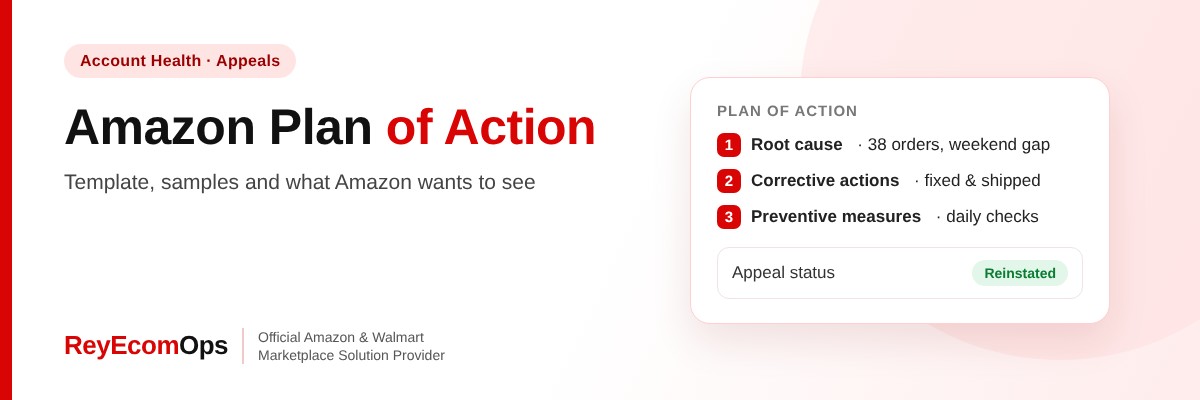
Quick answer: An Amazon Plan of Action (POA) is the appeal you submit to get a suspended account or listing reinstated. It has three parts: the root cause of the problem, the corrective actions you’ve already taken, and the preventive measures that stop it happening again. Keep it short, specific and backed by proof.
1. What Is an Amazon Plan of Action?
An Amazon Plan of Action is a short written appeal you send to Amazon’s Seller Performance team when your account, a listing or a selling privilege has been removed. It answers three questions the reviewer needs answered before they can reinstate you: what went wrong, what you fixed, and how you’ll stop it happening again.
You’ll usually find the request in the Account Health dashboard in Seller Central, next to the policy or metric that failed, with an Appeal button. Amazon doesn’t publish an official template, but every successful POA follows the same structure, and reviewers spot weak ones quickly. They read a high volume of appeals, so clarity wins over length every time.
2. What Triggers a Plan of Action on Amazon
Most Plan of Action requests come from one of two places: performance metrics that slipped below Amazon’s targets, or policy issues such as complaints and violations. These are the targets Amazon expects every seller to meet:
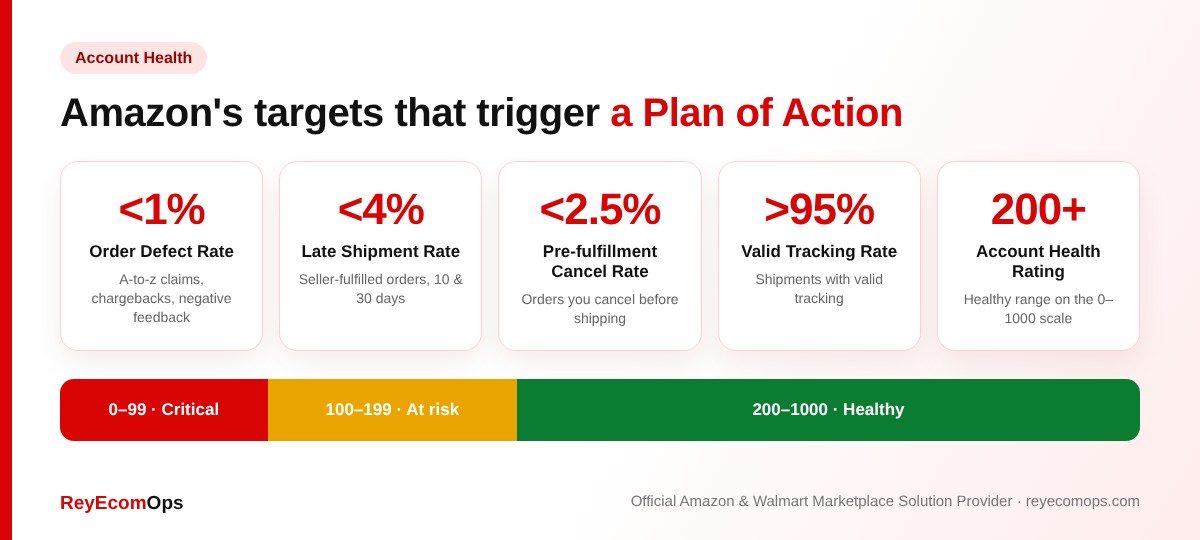
Policy problems feed into your Account Health Rating, a score from 0 to 1,000. Above 200 is healthy, 100–199 is at risk, and below 100 puts the account at risk of deactivation. Common policy triggers include:
- Intellectual property complaints (trademark, copyright or patent)
- Inauthentic, counterfeit or “used sold as new” complaints
- Restricted products and listing policy violations
- Product safety and condition complaints
- Related accounts or failed seller verification
Not sure where your account stands? Our guide to why Amazon account health management matters explains every metric on the dashboard.
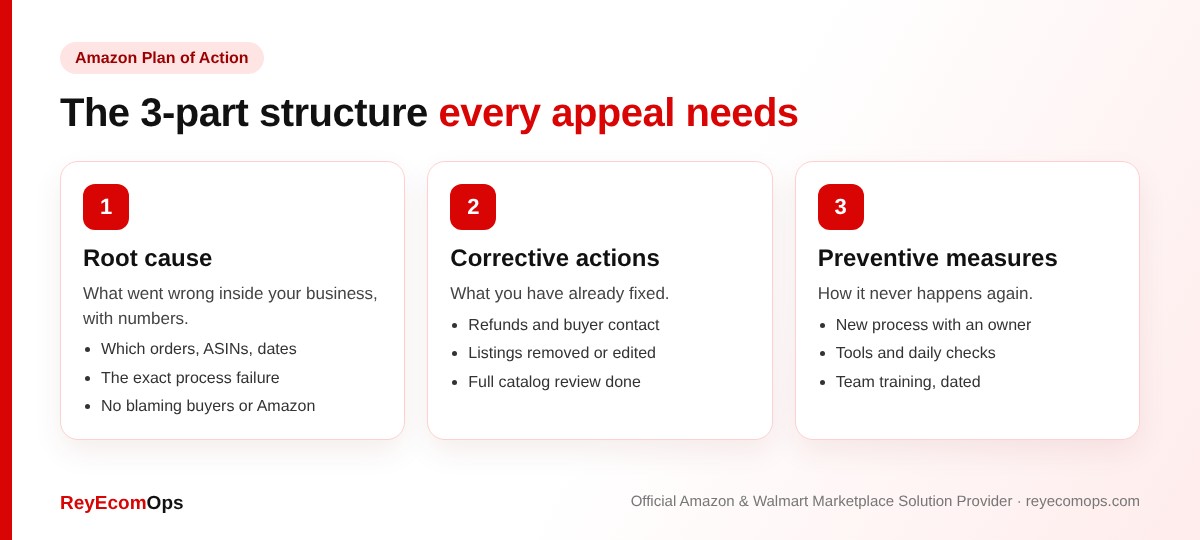
3. The 3-Part Structure Every Amazon Plan of Action Needs
| Section | What it must show | What to avoid |
|---|---|---|
| 1. Root cause | The real reason inside your own operations, with order counts, ASINs and dates | Blaming Amazon, buyers or carriers |
| 2. Corrective actions | What you’ve already fixed for the affected orders, listings or customers | Promises with no dates or proof |
| 3. Preventive measures | New processes, tools and owners that stop a repeat | Vague lines like “we’ll be more careful” |
Pro tip: write each section as 3–5 short bullet points. Reviewers scan. Numbers like “38 of 610 orders” or “removed 12 ASINs on Nov 4” prove you’ve actually investigated.
4. Amazon Plan of Action Template (Fill in the Brackets)
Copy this structure and replace everything in brackets with your own facts. Keep the final version to about one page.
Opening
Dear Seller Performance Team, thank you for reviewing our account. We have investigated [issue] and have taken the actions below.
Root cause
• Between [date] and [date], [number] orders / ASINs were affected by [issue].
• The cause was [specific process failure], which happened because [reason].
Corrective actions taken
• On [date], we [action, e.g. refunded and contacted all affected buyers].
• We removed / corrected [ASINs or listings].
• We reviewed all [number] active listings for the same problem.
Preventive measures
• [Named person/role] now [new process] every [day/week].
• We added [tool or control] so that [problem] is caught before [stage].
• Our team completed training on [policy] on [date].
Closing
We value selling on Amazon and have made these changes to protect customers. Supporting documents are attached.
5. Three Amazon Plan of Action Samples
A. Late shipments (performance)
Root cause: 38 of 610 seller-fulfilled orders (6.2%) in the last 30 days shipped late. Our handling time was 1 day, but our warehouse does not ship on Saturdays.
Corrective: We raised handling time to 2 days on all SKUs and shipped every open order the same day.
Preventive: Our operations lead checks unshipped orders at 10 AM and 3 PM daily; we added a backup carrier with a later pickup.
B. Inauthentic item complaint (policy)
Root cause: We bought one batch of [ASIN] from a new wholesaler without confirming they were authorized by the brand.
Corrective: We removed remaining units, refunded affected buyers and attached invoices from the brand-authorized distributor covering all current stock.
Preventive: We now buy only from suppliers with a brand authorization letter on file for every ASIN, reviewed before each order.
C. Listing policy violation
Root cause: Our product description included a health claim not allowed in this category.
Corrective: We edited the listing and reviewed the other 42 listings in the same category.
Preventive: Every new or edited listing is checked against Amazon’s category guidelines by a second team member before upload.
Suspended right now?
Send us your notice. We’ll review it and your documents for free.
6. Documents to Attach to Your Appeal
Evidence is what turns a good POA into an approved one. Match the documents to the exact reason in your notice:
| Suspension reason | Best supporting documents |
|---|---|
| Inauthentic / counterfeit | Supplier invoices from the last 365 days covering units sold, with supplier name, address and contact details that Amazon can verify |
| Intellectual property | A retraction from the rights owner, or proof the complaint was invalid (your own trademark, licensing agreement) |
| Late shipments / cancellations | Screenshots of new handling time and shipping settings, tracking upload schedule |
| Restricted products | Screenshots of removed listings and your new compliance checklist |
| Verification | Matching ID, business registration, bank statement and utility bill |
Warning: never edit an invoice. Amazon may contact the supplier, and altered documents can turn a fixable suspension into a permanent one.
7. Plan of Action Tips by Suspension Type
A. Order Defect Rate above 1%
Break the defects down by type: A-to-z claims, chargebacks and negative feedback. Show the top three causes (for example, “62% of claims were item not received”) and the fix for each, such as faster carriers, better packaging or clearer listings. Reviewers want to see you understand which defect type drove the rate up.
B. Intellectual property complaints
First decide whether the complaint was valid. If it was, remove the listings and explain how you now check trademarks, images and brand names before listing. If it wasn’t, contact the rights owner and ask for a retraction. A retraction email is the strongest document you can attach.
C. Related account deactivation
Explain the connection honestly, whether it’s a shared address, bank account or former business partner. Provide documents that show the businesses are separate, or that the linked account is in good standing. Never open a new account to get around a deactivation; it can lead to both accounts being permanently closed.
8. Seven Reasons Amazon Rejects a Plan of Action
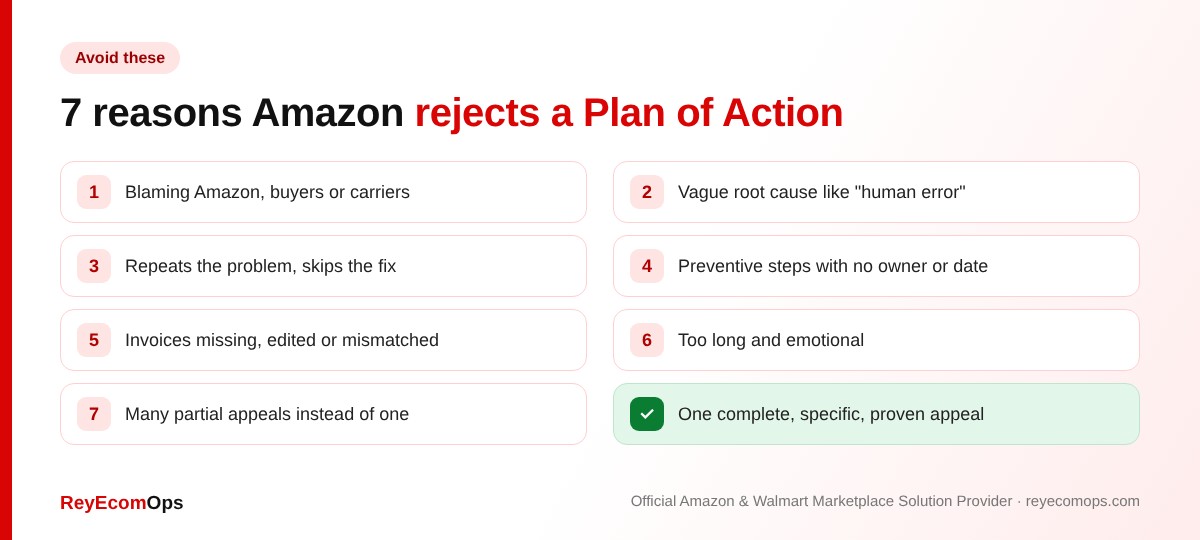
Most rejections aren’t about the problem itself, they’re about how the appeal explains it. The most common mistakes are blaming others, a vague root cause such as “human error”, describing the problem without the fix, preventive steps with no owner or schedule, invoices that don’t match units sold, emotional multi-page letters, and sending several partial appeals in a short time. If your first appeal is rejected, change the content before resubmitting. Sending the same POA again rarely works.
9. The Amazon Appeal Process, Step by Step
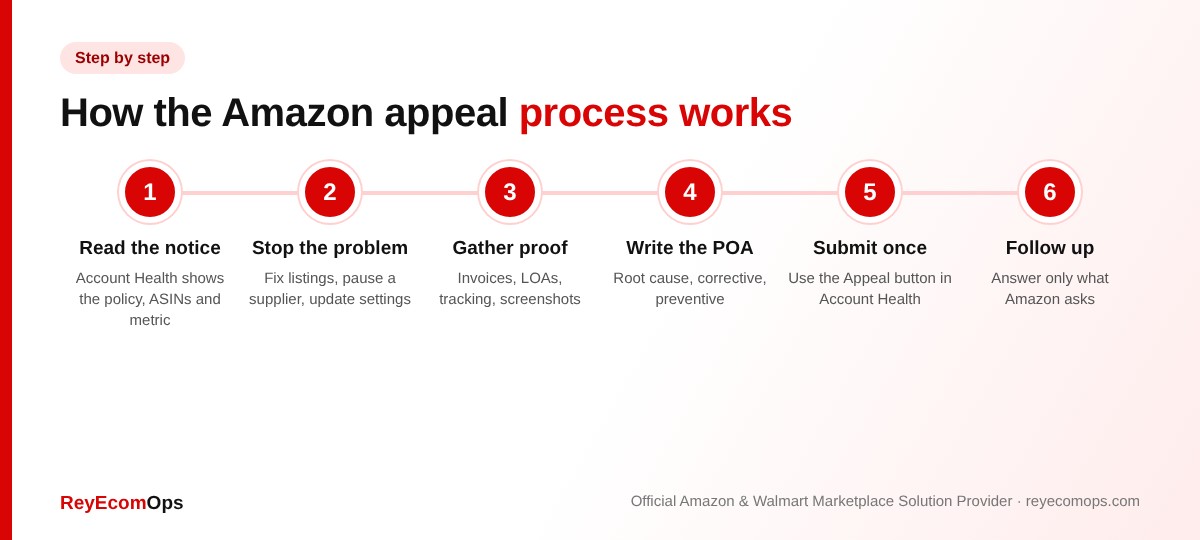
- Read the notice and Account Health. Note the exact policy, ASINs or metrics named.
- Stop the problem first. Remove or fix listings, pause a supplier, correct settings.
- Gather proof that matches the reason.
- Write the Plan of Action using the template above.
- Submit once through the Appeal button, with documents attached.
- Answer follow-ups precisely. Respond only to what Amazon asks.
Many appeals get a reply within a few days. Complex cases, such as inauthentic claims or related accounts, can take longer and may need more than one round of documents. For a deeper look at what happens to your funds and inventory while you wait, read how to protect your Amazon business from account suspension.
10. How to Avoid Needing a Plan of Action
The best Plan of Action is the one you never write. Sellers who check their metrics weekly catch problems while they’re still small:
- Check Account Health and your Account Health Rating every Monday.
- Answer every policy warning within 48 hours, before it escalates.
- Keep supplier invoices and brand authorization letters organized by ASIN.
- Review new listings against category rules before upload. Our Amazon product listing services team does this for every listing we create.
- In Q4, watch Late Shipment Rate and cancellations daily, or let an Amazon seller virtual assistant do it for you.
Our Amazon account health monitoring service runs these checks for you and flags risks before Amazon does. For complete day-to-day support, our Amazon account management team, an Official Amazon Marketplace Solution Provider, keeps your metrics in the healthy zone.
Key takeaways
- An Amazon Plan of Action has three parts: root cause, corrective actions, preventive measures.
- Use numbers, dates and order counts; keep it to about one page.
- Attach documents that match the exact reason in your notice, and never edit invoices.
- Submit one complete appeal rather than several partial ones.
- Weekly Account Health checks prevent most suspensions.
Protect your account before Black Friday
Get a free audit of your Account Health, listings and metrics.