Amazon Late Shipment Plan of Action: Example and How to Fix Your Late Shipment Rate Before Peak
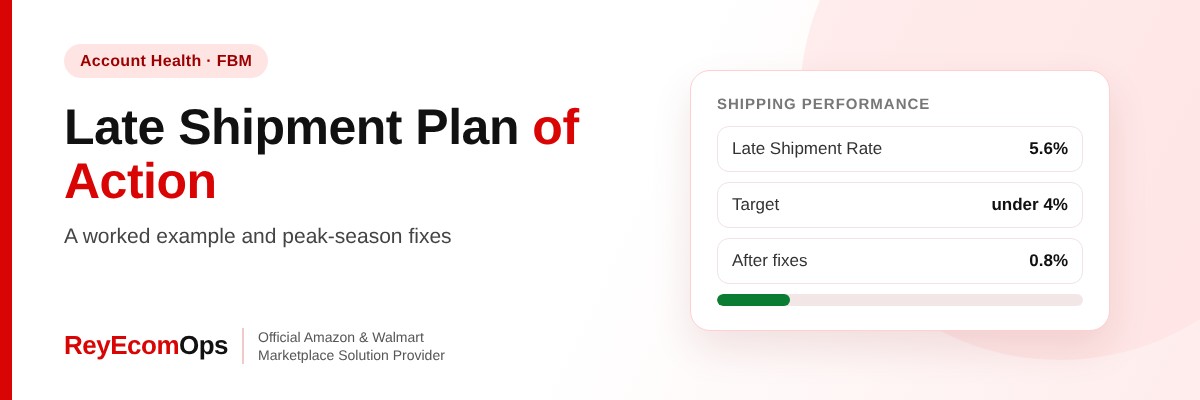
Late shipments are one of the quickest ways for a merchant-fulfilled seller to lose selling privileges, and they spike every holiday season. One slow week in November can push your Late Shipment Rate over Amazon’s 4% limit, deactivate your account and leave you writing a late shipment Plan of Action during the busiest month of the year.
This guide gives you a complete late shipment Plan of Action example you can adapt, explains exactly how Amazon measures the metric, and shows the fixes that keep your rate low through Black Friday, Cyber Monday and December.
Quick answer: Amazon expects merchant-fulfilled sellers to keep the Late Shipment Rate under 4%. If it goes higher, Amazon can deactivate your account and ask for a Plan of Action. Your appeal must show why orders shipped late, what you changed (handling time, carrier, staffing) and how you’ll stay under 4% in peak season.
In this guide
- What Is Amazon’s Late Shipment Rate?
- Why Late Shipments Spike in Q4
- Late Shipment Plan of Action: Full Example
- How to Fix Your Late Shipment Rate Before Peak
- Late Shipment Rate vs Other Shipping Metrics
- Common Root Causes and the Matching Fix
- What Happens After You Submit the Appeal
- Example: Recovering From a 5.6% Late Shipment Rate
- Weekly Shipping Metrics Checklist
- FAQs
1. What Is Amazon's Late Shipment Rate?
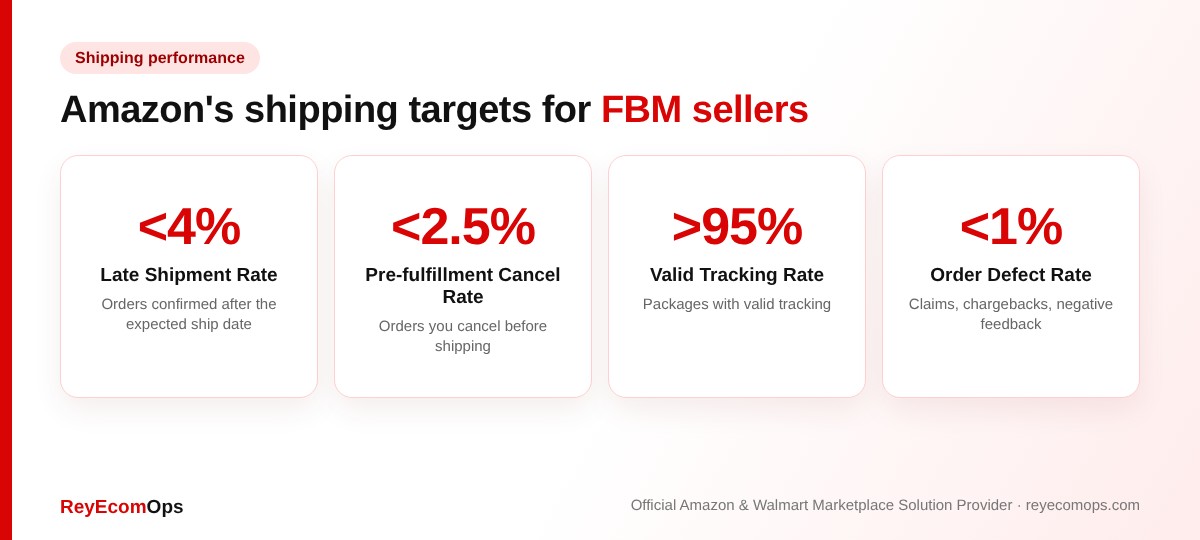
The Late Shipment Rate (LSR) is the percentage of your seller-fulfilled orders that were confirmed as shipped after the expected ship date. Amazon measures it over 10-day and 30-day windows in the Account Health dashboard. Orders fulfilled by Amazon (FBA) don’t count, because Amazon ships them.
The key word is confirmed. An order you packed on time but confirmed a day late still counts as late. That’s why tracking upload timing matters as much as how fast your team packs.
2. Why Late Shipments Spike in Q4
Most sellers who get deactivated for late shipments in November were fine in September. Nothing changed in their process, but the volume did. These are the patterns we see most in peak season:
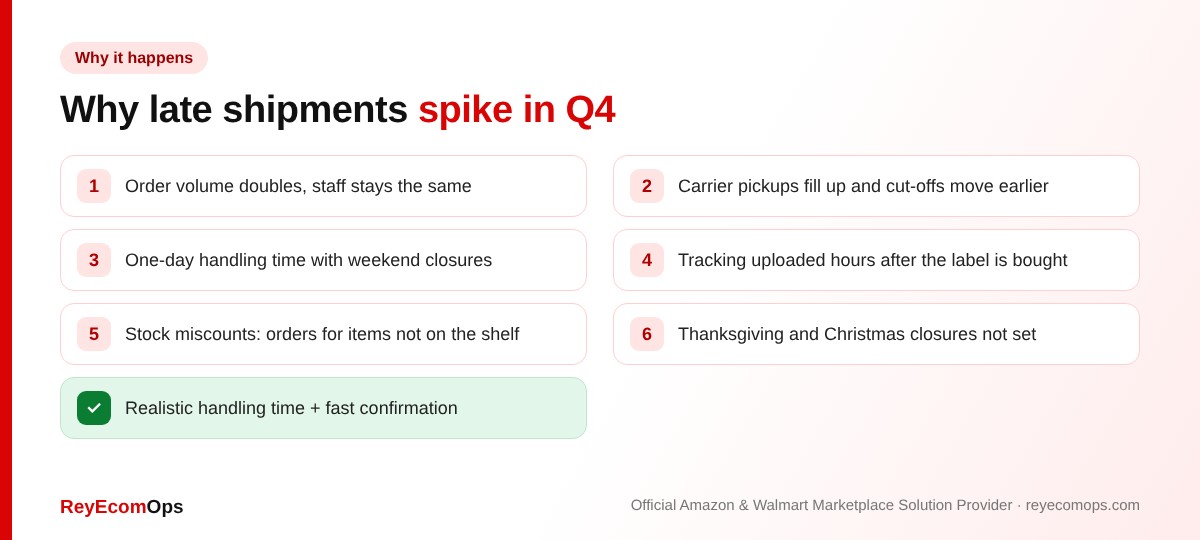
Two causes do most of the damage: a one-day handling time that ignores weekend and holiday closures, and tracking that is uploaded once a day instead of as labels are bought. Both are settings, not staffing, so they are quick to fix.
3. Late Shipment Plan of Action: Full Example
Use this as a model. Replace the numbers with your own and keep it about this length. For the general structure and other examples, see our Amazon Plan of Action template and samples.
A. Root cause
• Between October 28 and November 10, 46 of 820 seller-fulfilled orders (5.6%) were confirmed after the expected ship date.
• Our handling time was 1 business day, but our warehouse does not ship on Saturdays, so Friday afternoon orders shipped late.
• Our label software uploaded tracking to Amazon once a day at midnight, which confirmed some on-time shipments a day late.
B. Corrective actions taken
• On November 11, we changed handling time to 2 business days on all SKUs.
• We shipped every open order the same day and sent tracking to all 46 affected buyers.
• We switched our label software to upload tracking every 30 minutes.
C. Preventive measures
• Our operations lead checks unshipped orders at 10 AM and 3 PM every working day.
• We added a second carrier with a later pickup for November and December.
• We entered Thanksgiving and Christmas closures in our shipping settings.
• The Late Shipment Rate is reviewed in Account Health every Monday, and daily from November 15 to December 31.
Pro tip: attach screenshots of your new handling time, shipping settings and tracking upload schedule. Proof of the change is what makes reviewers trust the preventive steps.
Deactivated for late shipments?
Send us your notice and we’ll review your appeal for free.
4. How to Fix Your Late Shipment Rate Before Peak
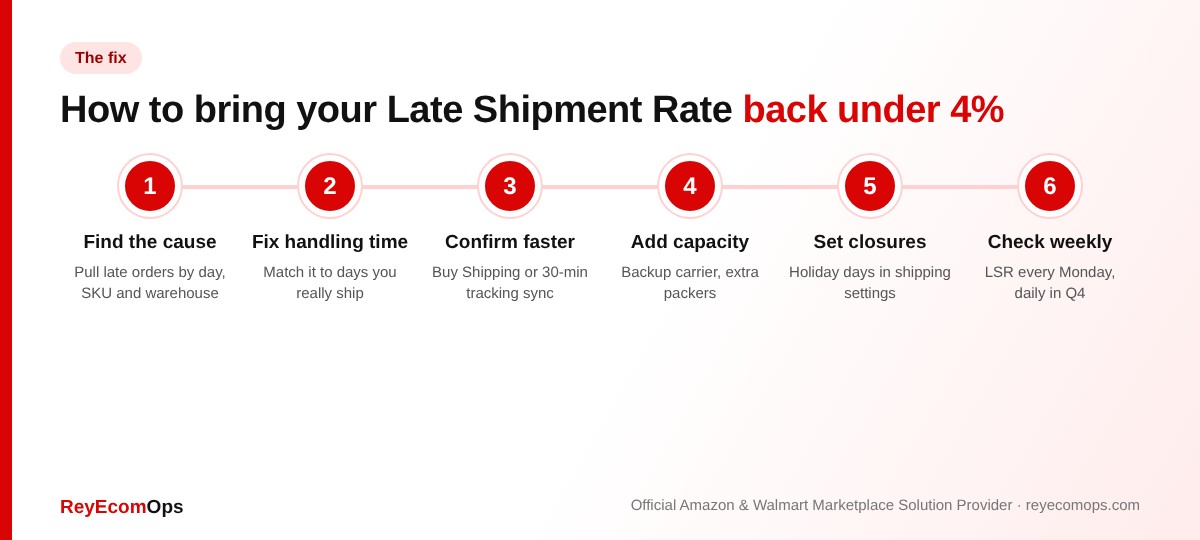
A. Set a realistic handling time
Match handling time to the days you actually ship. If your warehouse is closed on weekends, a one-day handling time will create late orders every Friday. Two days costs little in conversion and protects your account.
B. Use shipping templates and holiday settings
Seller Central lets you set handling time per shipping template and mark non-working days. Add Thanksgiving (November 26), Christmas and New Year closures before the rush so Amazon calculates delivery dates around them.
C. Confirm shipments instantly
Buying labels through Amazon Buy Shipping confirms the order and uploads tracking at once, and protects you from some carrier delays. If you use outside software, sync tracking at least every 30 minutes.
D. Move fast sellers to FBA for the holidays
If a handful of SKUs drive most of your orders, sending them to FBA removes them from your shipping metrics completely. Check Amazon’s inventory cut-off dates first.
E. Add carrier and packing capacity
Book a backup carrier with a later pickup, add temporary packing help for Black Friday week and set an internal cut-off at least two hours before pickup.
5. Late Shipment Rate vs Other Shipping Metrics
Sellers often fix one metric and break another. Use this table to keep all four in balance:
| Metric | Target | Common mistake |
|---|---|---|
| Late Shipment Rate | Under 4% | One-day handling time with weekend closures |
| Pre-fulfillment Cancel Rate | Under 2.5% | Cancelling orders to clear a backlog |
| Valid Tracking Rate | Above 95% | Uploading tracking late or using unsupported carriers |
| On-time delivery | Watch the trend | Slow, cheap services that miss promised dates |
Warning: never cancel orders to protect your Late Shipment Rate. Cancellations count against your cancel rate, and a late order with valid tracking is better than a cancelled one.
7. Common Root Causes and the Matching Fix
Reviewers approve a late shipment Plan of Action faster when the fix clearly matches the cause. Use this table to pair them:
| Root cause | What it looks like | Matching fix |
|---|---|---|
| Handling time too short | Late orders cluster on Fridays and Mondays | Raise handling time to match real shipping days |
| Late tracking upload | Packages scanned on time, confirmed a day late | Buy Shipping or sync tracking every 30 minutes |
| Carrier capacity | Missed pickups on peak days | Book a backup carrier with a later pickup |
| Staff shortage | Backlog builds after promotions | Temporary packers, internal 2-hour cut-off |
| Inventory errors | Orders for items not on the shelf | Weekly cycle counts, sync stock across channels |
| Holiday closures | Late orders right after public holidays | Add closures to shipping settings in advance |
8. What Happens After You Submit the Appeal
Submit your late shipment Plan of Action once, through the Appeal button next to the issue in Account Health. Many performance appeals get a reply within a few days. Amazon may approve it, reject it, or ask for more detail, such as screenshots of your new settings.
If Amazon asks for more information, answer only what it asks, in the same short bullet style. If the appeal is rejected, look closely at the reply. It usually points to a weak root cause or a preventive step without an owner. Change the content before you resubmit. Sending the same text again rarely works.
Once reinstated, watch the 10-day Late Shipment Rate daily for two weeks. One bad day right after reinstatement can undo the trust you just rebuilt.
9. Example: Recovering From a 5.6% Late Shipment Rate
Here is how a typical recovery looks for a seller shipping around 800 orders a month from their own warehouse. The numbers are illustrative, but the pattern is the one we see most often:
- Week 1: Late Shipment Rate hits 5.6% after two busy Fridays. Account deactivated.
- Day 1 of recovery: handling time raised to 2 days, all open orders shipped, tracking sync set to every 30 minutes.
- Day 2: Plan of Action submitted with screenshots of the new settings.
- Day 5: account reinstated after one follow-up question about the backup carrier.
- Week 3: 10-day Late Shipment Rate down to 0.8%; 30-day rate under 4% as old orders drop out of the window.
The difference between a fast and a slow reinstatement is almost always preparation: settings fixed before writing, proof attached the first time, and one complete appeal.
10. Weekly Shipping Metrics Checklist
- Late Shipment Rate under 4% on both the 10-day and 30-day views
- Pre-fulfillment Cancel Rate under 2.5%
- Valid Tracking Rate above 95%
- No unshipped orders older than your handling time
- Holiday closures entered in shipping settings
- Backup carrier booked for peak weeks
Our Amazon account health monitoring service tracks these metrics daily and flags problems before Amazon does. For peak-season order processing, an Amazon seller virtual assistant can confirm shipments, answer buyers and keep tracking updated, and our Amazon account management team runs the full account day to day.
Key takeaways
- Amazon’s Late Shipment Rate target is under 4% for seller-fulfilled orders.
- Q4 spikes come from short handling times, weekend closures and late tracking uploads.
- A late shipment Plan of Action needs order counts, dates, the fix and proof.
- Never cancel orders to protect your Late Shipment Rate.
- Moving top sellers to FBA removes them from your shipping metrics.
Get through peak season safely
We’ll audit your shipping settings and metrics before Black Friday.