Amazon Reviews Not Showing Up or Removed? Why It Happens and What Sellers Can Do
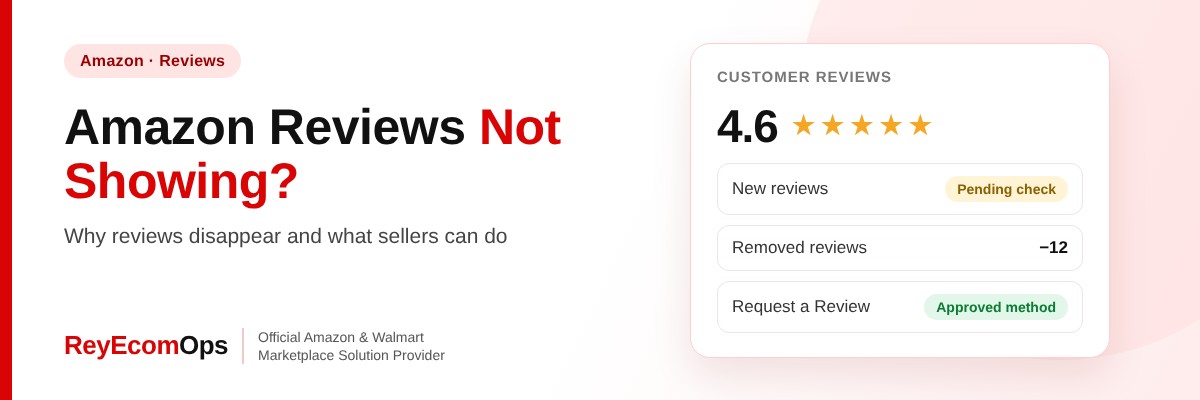
The buyer told you they left a review, but your listing still shows the old count. Or ten reviews vanished overnight. Amazon reviews not showing up is one of the most common seller complaints, and it matters: reviews drive conversion, ranking and Buy Box confidence. The good news is that the reason is almost always one of a handful of things you can identify.
This guide explains why reviews don’t appear, why Amazon removes them, what sellers are and aren’t allowed to do, and the approved ways to earn more reviews before the holiday rush.
Quick answer: Amazon reviews may not show because they’re still being checked, were rejected for breaking review rules, the buyer isn’t eligible yet, or a variation change moved them. Amazon also removes reviews linked to incentives, family or friends, or unusual activity. Sellers can’t restore removed reviews, but can report rule-breaking ones and earn new reviews through Request a Review and Amazon Vine.
In this guide
1. Amazon Reviews Not Showing Up: Five Common Causes
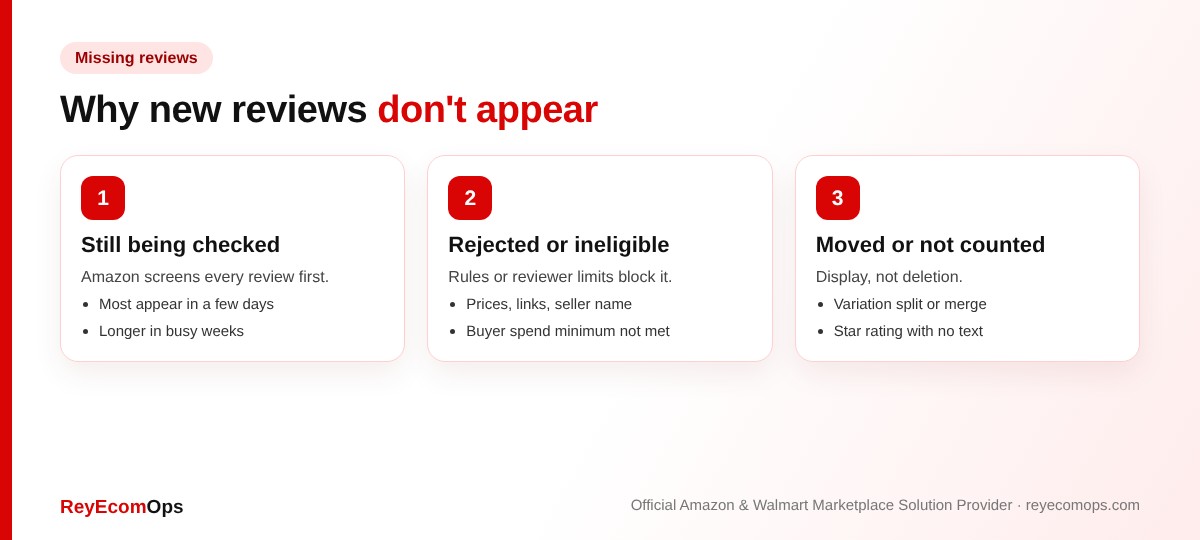
The fix for Amazon reviews not showing up depends on which of these five causes applies, so check them in order.
A. They are still being checked
Amazon screens every review before it goes live. Most appear within a few days. If Amazon reviews are not showing up after a week, the other causes below are more likely. Some take longer, especially during Prime Day, Black Friday and the weeks after Christmas, when review volume peaks.
B. They were rejected for breaking the rules
Reviews that mention prices, shipping only, links, personal details or the seller’s name can be rejected. Comments about delivery or service belong in seller feedback, not product reviews, so Amazon may redirect or reject them.
C. The buyer isn't eligible
Amazon requires reviewers to have spent a minimum amount on their account in the last 12 months. Some buyers, especially those using gift cards or new accounts, can’t post reviews yet.
D. A variation change moved them
When Amazon reviews are not showing up on one size or color, check the variation family. Reviews are shared across a parent-child variation family. If variations were split, merged or rebuilt, reviews can move to a different listing or temporarily disappear while the catalog updates.
E. Ratings without text
Star ratings without written text count toward your average but don’t appear as written reviews. That’s why the number of written reviews is usually lower than the total rating count shown under the title.
2. Why Amazon Removes Reviews
| Reason | Example |
|---|---|
| Incentivized reviews | Discounts, refunds or free products in exchange for reviews outside Amazon programs |
| Relationship with the seller | Friends, family or employees reviewing your product |
| Unusual activity | Many reviews from linked accounts or at an odd pace |
| Review manipulation | Asking only happy buyers, or asking for positive reviews |
| Content violations | Offensive language, promotions, links or personal information |
Amazon runs large sweeps from time to time, so a group of reviews can disappear at once. This is usually about the reviewers’ accounts, not something you did. But if you used a review service or insert cards offering rewards, stop immediately.
Warning: review manipulation can lead to listing removal and account suspension. Amazon treats it as a serious policy breach, and appeals take far longer than earning reviews the right way.
3. What Sellers Can and Can't Do
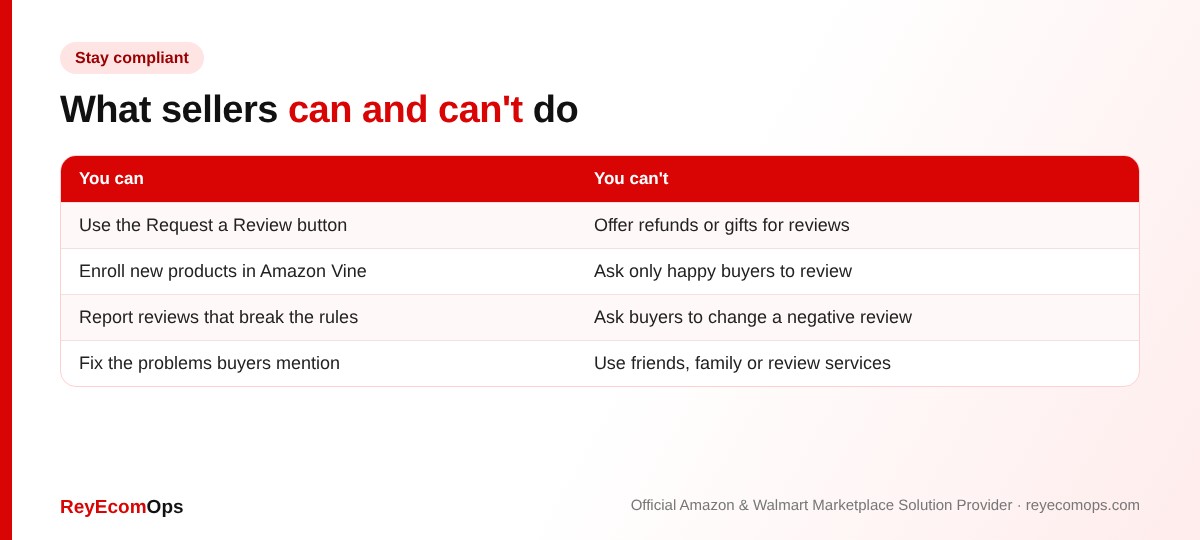
Sellers can’t restore a review Amazon removed, and can’t contact buyers to change a review. What you can do is report reviews that break the rules, reply to them where Amazon allows brand owners to, and fix the problems they describe.
Lost reviews or a falling rating?
We’ll review your listings and Account Health and find the cause.
4. How to Earn More Reviews the Approved Way
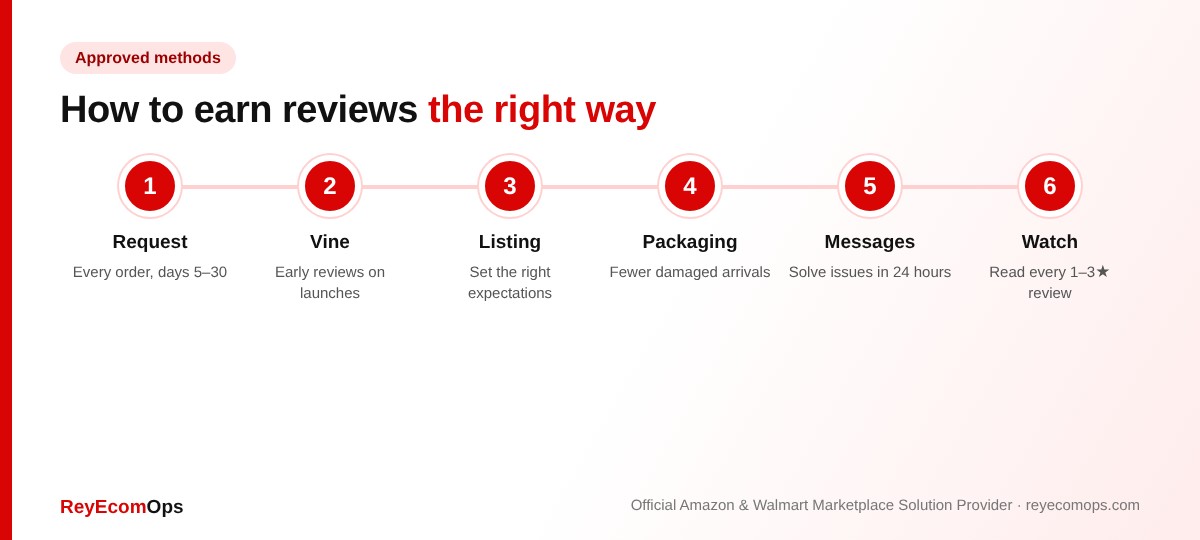
- Request a Review on every eligible order. The button in Seller Central works from 5 to 30 days after delivery. Many sellers forget it. Approved tools can automate it.
- Use Amazon Vine for new launches. Early reviews help conversion while your listing builds history.
- Improve the product and listing. Accurate images and descriptions mean happier buyers. Our Amazon product listing services team rewrites listings to set the right expectations.
- Protect the packaging. Damaged arrivals are a major source of one-star reviews.
- Solve problems fast. Answer buyer messages within 24 hours so issues don’t become reviews.
5. Seller Feedback vs Product Reviews
| Product reviews | Seller feedback | |
|---|---|---|
| What it’s about | The product | Your service: shipping, communication |
| Where it shows | Product page | Your seller profile |
| Affects | Conversion and ranking | Order Defect Rate (negative feedback) |
| Can you request removal? | Only if it breaks review rules | Yes, if it’s really a product review or abusive |
Negative seller feedback counts toward your Order Defect Rate, so watch it alongside reviews. Our account health monitoring service tracks both every week.
6. What to Do About a Sudden Rating Drop
A sudden drop often points to a product or listing problem, such as a new supplier batch, a wrong size chart or a missing part. Read recent negative reviews and return reasons together. If both mention the same issue, fix it and update the listing. A+ Content can answer common questions visually before they become complaints.
7. Reviews in Q4: Why They Matter More
Holiday shoppers compare options quickly, and star rating is one of the first things they check. Strong reviews also help you qualify for deals, which need a minimum rating. A few habits help through Black Friday and January:
- Keep Request a Review running on every order, including gift orders.
- Expect a lag: reviews from December orders often appear in January.
- Watch for “not as described” themes from holiday returns, then fix the listing.
- Don’t let a deal push sales faster than your packaging and stock can handle.
Reviews also help you keep the Featured Offer. See our guide to winning the Amazon Buy Box.
8. Example: Ten Reviews Gone Overnight
A home goods seller woke up to find their review count down from 412 to 401. Nothing had changed on the listing. A quick check found:
- No new warnings in Account Health, so it wasn’t a policy action against the seller.
- The missing reviews were mostly short five-star reviews from a few weeks earlier.
- Other sellers in the category reported the same drop on forums that week.
It was a reviewer-account sweep, not a penalty. The seller kept using Request a Review and the count recovered within a month. When Amazon reviews are not showing up after a sweep like this, the right move is usually patience and steady, compliant requests, not chasing the missing reviews.
Key takeaways
- Most missing reviews are still being checked, were rejected or moved with a variation.
- Amazon removes reviews linked to incentives, relationships or unusual activity.
- You can’t restore removed reviews, but you can report rule-breaking ones.
- Request a Review and Amazon Vine are the safe ways to earn more.
- Watch seller feedback too, because it affects Order Defect Rate.