Out of Stock on Amazon During Black Friday? What Happens to Your Ranking and How to Recover
Running out of stock during Black Friday week hurts twice. You lose the sales you planned for, and you can lose ranking that took months to build. If you are out of stock on Amazon right now, or worried you will be next week, this guide covers what happens, why Amazon sometimes shows out of stock when you still have units, and how to recover quickly.
Quick answer: When a listing goes out of stock on Amazon, it stops getting sales, ads stop serving and it loses the Buy Box, so organic rank usually slips the longer it lasts. In Black Friday week the loss is bigger. Stretch remaining stock, add a merchant-fulfilled backup if you can, pause ads on the ASIN and rebuild sales with a small promotion when stock returns.
In this guide
- What Amazon Does When You Go Out of Stock
- Out of Stock on Amazon but You Still Have Inventory?
- About to Run Out? What to Do During Black Friday Week
- Already Out of Stock on Amazon? Do This Now
- How to Recover Rank After a Stockout
- How a Stockout Affects the Buy Box
- Plan Q1 Restock Now
- Example: A Five-Day Stockout in Black Friday Week
- FAQs
1. What Amazon Does When You Go Out of Stock
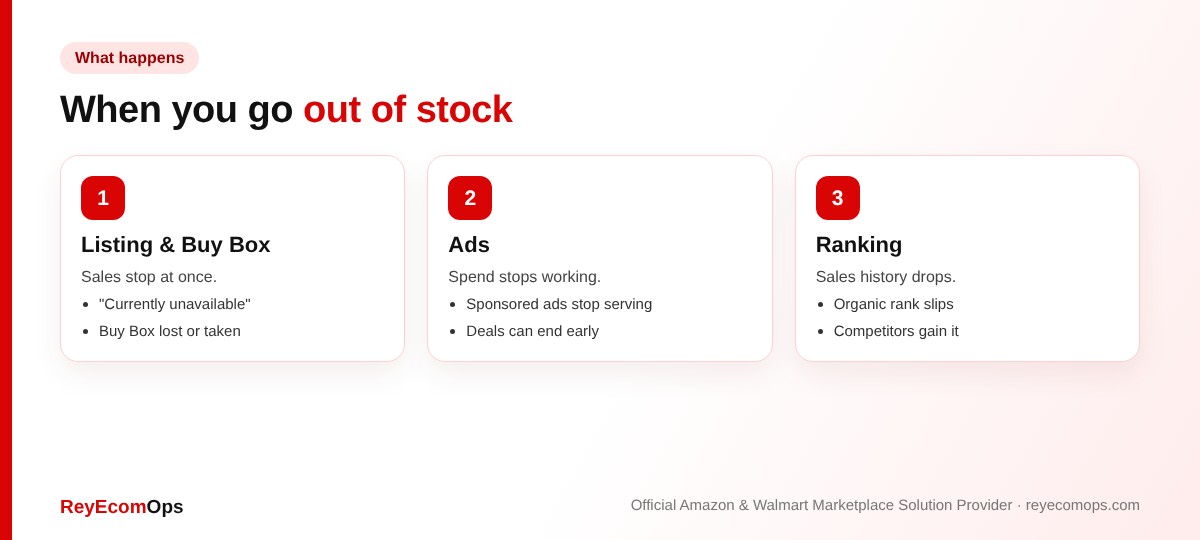
| Area | What happens |
|---|---|
| Listing | Shows “Currently unavailable” or other sellers’ offers |
| Buy Box | You lose it, or another seller takes it |
| Sponsored ads | Ads for that ASIN stop serving |
| Organic rank | Usually slips as sales history drops, more the longer it lasts |
| Deals | Active deals can end early or be cancelled |
A one-day stockout in a quiet month may barely matter. A week-long stockout during Black Friday hands your sales to competitors at the busiest time of year, and they gain the ranking you lose.
2. Out of Stock on Amazon but You Still Have Inventory?
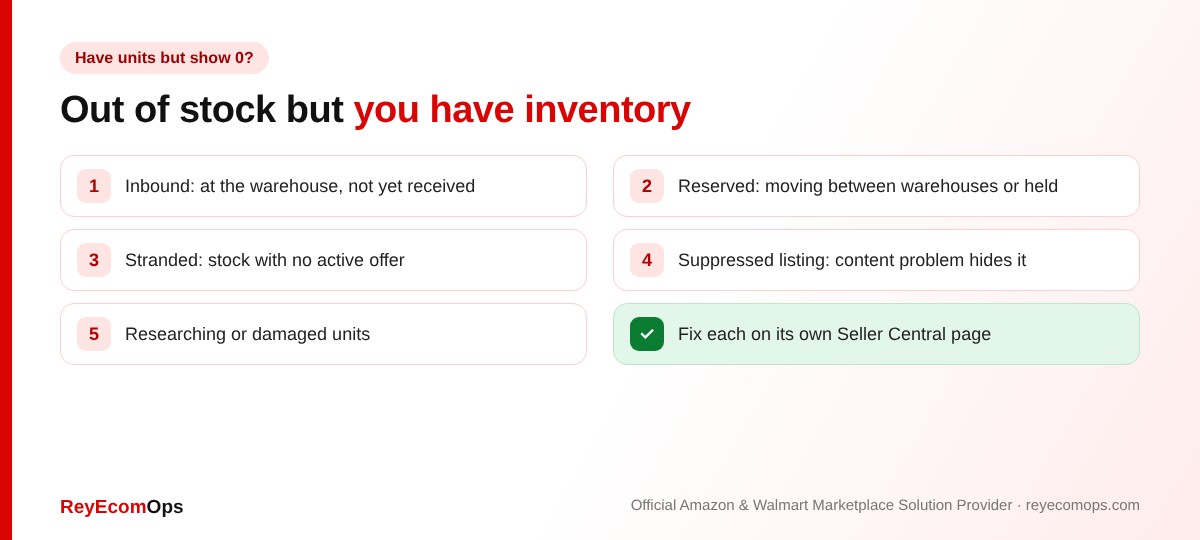
A. Inbound or receiving
Units at a fulfillment center don’t count until they are received. Receiving is slower in peak season, so check the shipment status, not just the delivery confirmation.
B. Reserved units
Units being moved between warehouses or held for customer orders aren’t available to sell.
C. Stranded inventory
Stock is in the warehouse but has no active offer, often because the listing is inactive or suppressed. Fix it on the Fix stranded inventory page.
D. Suppressed listing
A content problem hides the listing even though stock exists. Our Amazon product listing services team fixes suppressed listings fast.
E. Researching or damaged units
Units under investigation aren’t sellable. If they stay that way, they may qualify for a reimbursement. Our FBA reconciliation service tracks them.
3. About to Run Out? What to Do During Black Friday Week
- Raise the price slightly to slow sales and stretch stock, rather than selling out in a day. Check margin with the Amazon margin calculator.
- Lower ad spend on that ASIN so you aren’t paying to speed up a stockout.
- Turn on merchant fulfillment as a backup if you have stock in your own warehouse. A second offer keeps the ASIN buyable.
- Redirect demand to a similar product or another variation with ads.
Warning: if you add an FBM backup offer, set a realistic handling time. A burst of late shipments in peak week can do more damage than the stockout. See our late shipment guide.
Running low on your best sellers?
We’ll help you stretch stock, shift ad budget and plan restock.
4. Already Out of Stock on Amazon? Do This Now
- Pause ads on that ASIN and move budget to products that are in stock.
- Ship replenishment as soon as possible and track it daily.
- Check the Restock Inventory report for other ASINs heading the same way.
- Keep the listing content updated so it’s ready when stock lands.
- Tell repeat buyers or followers when it’s back, through your own channels.
5. How to Recover Rank After a Stockout
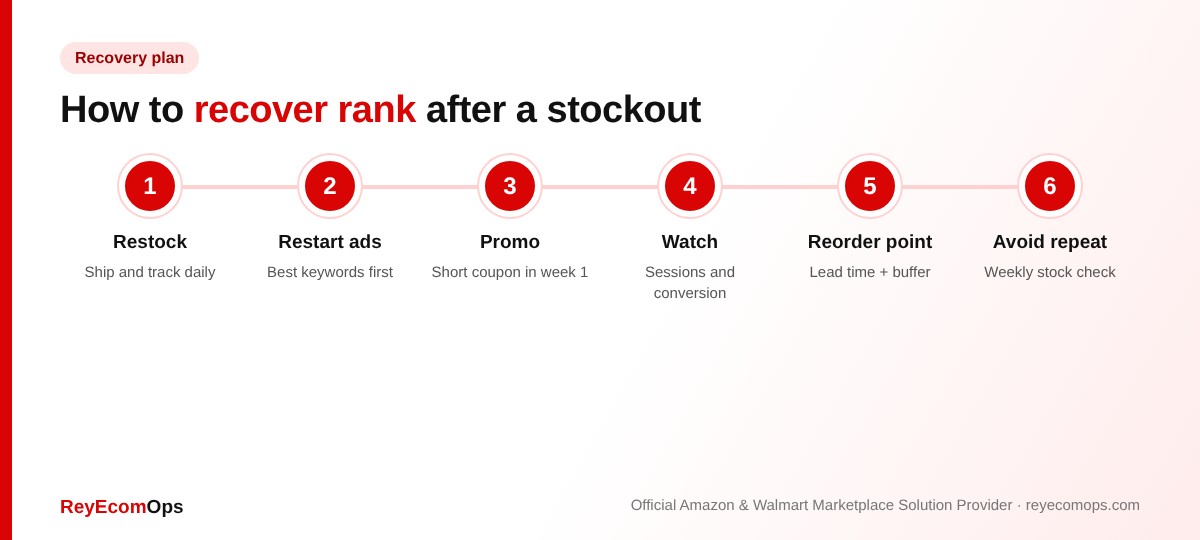
Restart ads with a clear budget on the keywords that converted best before the stockout. A short promotion or coupon in the first week back helps rebuild sales velocity. Watch sessions and conversion in Business Reports to see when traffic returns. Most listings recover within a few weeks if the product was strong before. Long stockouts can take longer. Our Amazon ads service runs relaunch campaigns like this.
6. How a Stockout Affects the Buy Box
If other sellers offer the same product, one of them takes the Buy Box the moment you go out of stock. When you’re back, you need competitive price and delivery to win it again. See our full guide to winning the Amazon Buy Box.
7. Plan Q1 Restock Now
January demand is often lower after the holidays, but returns and gift-card spending keep sales moving. Use your Q4 data to set reorder points that avoid both stockouts and costly aged inventory. Remember that Amazon holiday peak fees and higher storage fees apply until mid-January, so don’t overcorrect.
| Reorder point input | How to find it |
|---|---|
| Average daily sales | Last 30 days, excluding deal days |
| Lead time | Supplier production + shipping + Amazon receiving |
| Safety buffer | Usually 2–3 weeks of sales, more in Q4 |
| Reorder point | Daily sales × (lead time + buffer) |
8. Example: A Five-Day Stockout in Black Friday Week
A pet accessories brand sold through its best seller on Black Friday morning. Replenishment was at a fulfillment center but not yet received. In five days out of stock on Amazon, it lost the Buy Box to a reseller, ads stopped and its rank in the main category slipped by several pages. When stock was received, it restarted ads on its top five keywords, ran a 10% coupon for seven days and was back near its previous rank within three weeks.
The lesson: the problem started in October, when the shipment was sent too late for peak receiving times. An Amazon seller virtual assistant checking inbound status daily would have flagged it early.
Key takeaways
- Being out of stock on Amazon stops sales, ads and Buy Box, and rank slips the longer it lasts.
- “Out of stock but I have units” usually means inbound, reserved, stranded or suppressed stock.
- About to run out? Raise price slightly, cut ads and add an FBM backup.
- Recover with ads on proven keywords and a short promotion.
- Set reorder points that cover lead time plus a buffer.